Smart Home & Property Care · Pinoso
Your smart home.
Brought together.
Make your devices work together, with controls that make sense. Marelto sets up Home Assistant around your home, your routines and what you actually want to achieve.
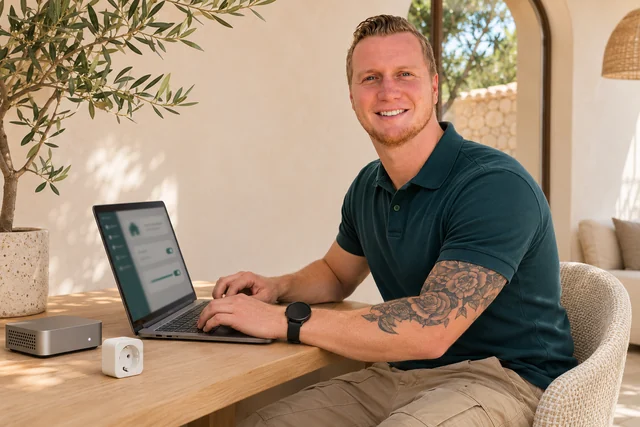
Home Assistant Setup
One clear place to see and control more.
Smart devices are most useful when they work together. With suitable hardware and supported integrations, Home Assistant can bring everyday controls, information and routines into one system.
Maarten handles the setup, works through the agreed functions and shows you how to use them. Start with a few priorities and build a practical foundation for your home.
Configured around you
Hardware selection, compatible connections and dashboards are based on your requirements. You receive personal configuration and a clear handover.
Exact models and supported functions are checked first. Marelto is an independent service provider.
A useful setup, from the foundations to daily use.
The agreed setup can include the following, depending on your home and equipment.
- Suitable dedicated hardware
A Home Assistant installation on hardware selected for your requirements.
- Compatible devices and integrations
Connecting supported equipment and organising it into understandable rooms and controls.
- Clear dashboards
The controls and information you use most, presented together without unnecessary clutter.
- Practical automations
Routines built around your needs, such as schedules or supported sensor and device conditions.
- Secure remote access options
An appropriate method for access away from home, with any external service costs agreed beforehand.
- Backups and basic recovery
Backup arrangements and an explanation of the basic recovery process.
- Testing the agreed functions
Checking how the configured controls and automations behave with your equipment.
- Personal explanation
A walkthrough so you understand daily operation and the settings relevant to you.
From your idea to a usable system.
Tell us what you want
Describe what you want to make easier; model details help if you have them.
Check and configure
We confirm compatibility, hardware and scope, then configure the agreed setup.
Try it together
We review the functions and explain the controls, backups and everyday use.
Start with a conversation, not a shopping list.
Already have smart devices, or starting from the beginning? Tell us your priorities. Hardware, integrations, remote access requirements and the work are quoted individually.
A little more clarity
Before you get in touch.
Do I need to buy hardware first?
No. We first discuss your needs and check what equipment you already have. If additional hardware is necessary, we’ll explain the options and costs beforehand. Any external service costs are agreed separately.
Will all my devices work together?
Not always. Compatibility depends on the brands, models and supported integrations. We’ll check what can be connected before proposing a solution.
Will I be able to use the system myself?
Yes. The setup includes an explanation of the agreed controls and automations, so you know how to use your system. We can also discuss backups, recovery and any further support you may need.
Let’s talk about
your home.
Tell me what you need. We’ll discuss the possibilities and agree a clear next step.